
Downloading a casino app should never begin with a search for the biggest bonus. UK players should first establish whether the operator is authorised to serve them, whether the app is genuine, and what happens to their personal and payment information. This guide explains how to approach R2P Bet safely, what to check before installing anything, and how to use the service cautiously if it is available to you.
R2P Bet’s current licensing status, app availability and terms can change. Do not assume that an app or website is approved for Great Britain simply because it opens on a UK device, appears in search results or accepts a payment. Check the operator’s legal details against official records before registering or depositing.
Start with the UK licensing check
In Great Britain, businesses providing remote gambling to consumers generally need the appropriate licence from the Gambling Commission. Search the Commission’s public register for the exact legal entity named in R2P Bet’s terms and conditions. Compare the registered domain and trading names as well; a similar-looking company name is not enough to establish that you have found the right operator.
If you cannot confirm that the operator is permitted to serve UK customers, do not download its software, create an account or send money. A site being accessible from the UK does not prove that it is licensed here. Licensing also matters when you need to make a complaint, verify identity, withdraw a balance or use responsible-gambling tools.
- Read the site’s “About”, “Terms” and “Responsible Gambling” pages.
- Identify the legal operator, registered address and licence number.
- Check the details against the regulator’s official register, rather than relying on a logo displayed on the site.
- Confirm that the terms explicitly cover customers located in Great Britain.
Find out whether an official app exists
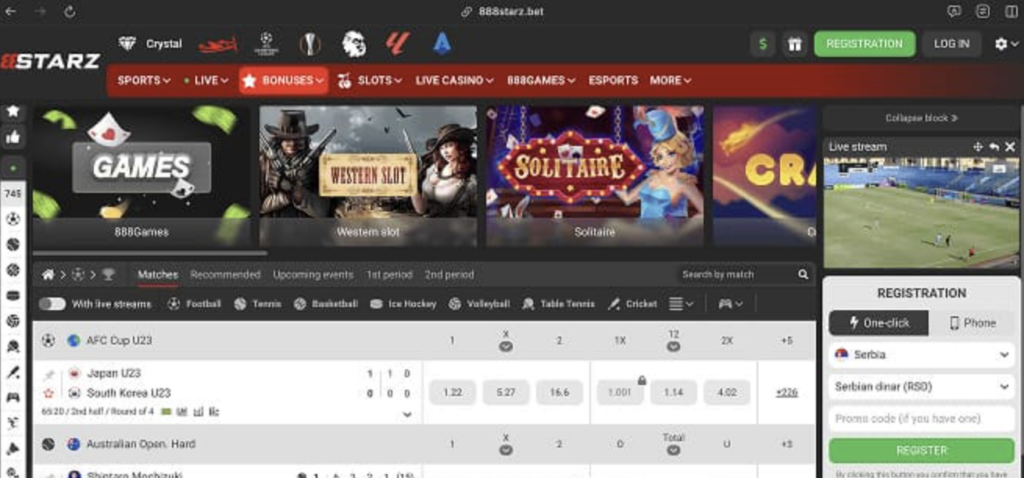
Do not assume that R2P Bet has a legitimate Android or iPhone app. Availability can vary by country, device and time, and some casinos offer a mobile website instead of a downloadable application. Look for download instructions on the operator’s verified website, reached through a trusted source. If the operator does not publish an app link or clear installation guidance, use that as a reason to pause rather than searching for unofficial copies.
For iPhone and iPad, check whether the app is listed in Apple’s App Store under the correct developer name. For Android, check Google Play first. If an operator directs users to install an Android package file from its own website, verify the domain independently, read the installation instructions and understand the security implications before proceeding. Avoid files shared through messaging apps, file-hosting pages, social media posts or third-party “casino APK” directories.
Warning signs of a fake download
- A link uses a misspelled or unfamiliar domain.
- The page promises guaranteed winnings, unusually large rewards or “secret” access.
- You are asked to disable device security or install several unrelated apps.
- The download asks for permissions that have no clear connection to casino play.
- There is no named developer, privacy policy, support contact or verifiable legal operator.
Safe installation steps
- Update your device. Install current operating-system and security updates before downloading an app. Updates help close known vulnerabilities.
- Use a verified route. Open the operator’s confirmed website or the official app store and follow its published link. Check the developer and domain carefully.
- Review permissions. A casino app should not need access to contacts, text messages or unrelated files to provide basic gaming services. Deny unnecessary requests.
- Read the privacy information. Check what data is collected, why it is used, how long it is retained and how to contact the operator about privacy matters.
- Protect your account. Create a unique password, enable available security features and never share login codes with another person.
- Keep receipts and records. Save confirmation emails, transaction references, the terms shown at registration and any conversations with support.
Never install a file just because a pop-up claims your device is infected or says that a download will expire in seconds. Close the page and return to the official source by typing a known address yourself or using a previously verified bookmark.
Registration, payments and withdrawals
A legitimate gambling operator may need to confirm your identity and age before allowing deposits or withdrawals. Provide documents only through a secure, clearly identified account area—not by sending sensitive information to an unverified email address or chat contact. If the app asks for information that seems excessive, or the company’s identity remains unclear, stop and contact support through the verified website.
Before depositing, read the cashier rules and the withdrawal terms. Check accepted payment methods, minimum and maximum transaction amounts, processing times, verification requirements and any fees. Use a payment method in your own name and avoid borrowing money or using credit to gamble. A payment succeeding does not establish that a casino is licensed or safe.
Promotions also deserve careful reading. Bonus offers may come with wagering conditions, game restrictions, expiry dates and withdrawal limits. Search the terms for the rules that apply to your account, and do not deposit simply to unlock an advertised reward. The phrase does r2p bet casino offer second deposit rewards is a sensible question to research, but the answer should come from current, official promotion terms—not an old advert or an affiliate claim. Confirm eligibility and conditions before opting in.
Mobile play and responsible gambling
Once you have independently verified the operator and installed an authentic app, use it as carefully as you would use the website. Connect through a trusted network, lock your phone with a passcode or biometric protection, and sign out if you share the device. Do not save payment details on a device used by children or other people, and never gamble while driving or when impaired.
Set a spending limit before playing and treat gambling as paid entertainment, not a way to earn income or recover losses. Use deposit, loss or session limits where available. If you find it difficult to stop, take a break and seek support. In Great Britain, GamCare provides information and support, and its National Gambling Helpline can be reached on 0808 8020 133. You can also explore self-exclusion options such as GAMSTOP for participating online operators.
Questions and answers
Is it safe to download R2P Bet from a search result?
Not automatically. Search results can include ads, clones and unofficial download pages. Verify the operator and its UK licence first, then use an app-store listing or download link published by the confirmed operator.
What if R2P Bet asks me to install an APK?
First confirm that the request appears on the operator’s genuine website and that the operator is authorised to serve UK customers. Sideloading bypasses the usual app-store review process and carries additional risk. Do not disable security protections or proceed if the instructions, permissions or developer details are unclear.
Can I use a mobile browser instead?
If the verified operator offers a mobile-friendly website, it may be an alternative to installing an app. Check the web address carefully and avoid links sent by unknown accounts. A browser version does not remove the need to verify licensing and terms.
How can I tell whether an offer is current?
Open the promotions page while signed in, read the dated terms and check whether the offer applies to your location and account. Contact verified support if a key condition is unclear. Do not rely on screenshots or third-party bonus lists.
What should I do if I installed a suspicious file?
Disconnect from unfamiliar networks, remove the app, run your device’s security checks and change passwords from a separate, trusted device. Contact your bank if you entered payment details, and report suspected fraud through the appropriate official channels.
Final safety checklist
- Confirm the operator and its Great Britain licensing status using official records.
- Use only a download source linked by the verified operator or an official app store.
- Reject unofficial files, suspicious permissions and requests to weaken device security.
- Read privacy, bonus, payment and withdrawal terms before registering or depositing.
- Set limits, keep account credentials private and stop if gambling is causing harm.
The safest decision may be not to download anything until the operator’s identity, licensing and app source are independently clear. If any part of the process cannot be verified, do not provide personal details or money.
Comments are closed