
Forgotten login details can interrupt a gaming session, but resetting a password should be straightforward if you use the official Lucky Block casino site and follow its account-recovery steps. For players in the United Kingdom, the key is to use the correct website, provide accurate account information and protect the new password. This guide explains the usual process, what to do if the reset email does not arrive, and how to keep your account secure afterwards.
Account pages and recovery procedures can change, so treat the instructions shown on the current official site as the final authority. Never share your password, one-time codes or identity documents with someone who contacts you unexpectedly. Customer support should not need your password to help with a login problem.
Before You Start
First, check that you are visiting the genuine Lucky Block website. Use a saved bookmark or type the address you normally use rather than following an unfamiliar link in an email, advert or message; Look for a secure connection and review the domain carefully; misleading sites can use similar spellings to imitate a casino.
Make sure you can access the email address or other contact method linked to your account. The casino may send a reset link or verification code there. If you no longer control that email account, recover access through your email provider before beginning, or contact Lucky Block support through the official site for guidance.
- Use a device and network you trust.
- Check that your browser has not autofilled an old email address.
- Do not start recovery from a public or shared device if you can avoid it.
- Keep your account username or registered email handy, but never disclose your existing password.
How to Reset Your Lucky Block Casino Password
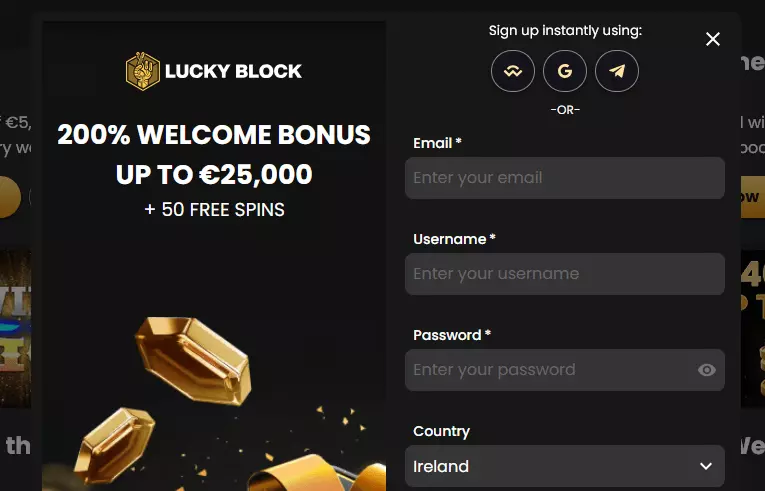
- Open the official login page. Navigate to Lucky Block’s current website and select the sign-in or account option.
- Choose the password-recovery link. Look for wording such as “Forgot password?” or “Can’t log in?” near the password field.
- Enter the requested account detail. This is commonly the email address registered to the account. Check for typing mistakes before submitting the form.
- Complete any security check. The site may ask you to confirm that you are not an automated user or provide an additional verification step.
- Check your inbox. Open the reset message and use its link or code as instructed. If it is not visible, look in spam, junk, promotions and other filtered folders.
- Create a new password. Choose one that is difficult to guess and not reused on another service. Enter it carefully in both fields if the form asks for confirmation.
- Sign in with the new details; Return to the official login page and test the new password. If the site requests further verification, follow the instructions displayed there.
Reset links can expire or work only once. If a link has expired, return to the official recovery page and request another rather than trying to reuse an old message. Avoid requesting many links in quick succession: this can make it harder to identify the newest email and may trigger temporary security limits.
If the Reset Email Does Not Arrive
Wait a few minutes, then search all folders for “Lucky Block” or the sender address shown on the casino website. Check that the email account you entered is the one you used when registering. A small spelling error or an outdated address is a common reason for a missing message.
If you still cannot find it, request one fresh reset message and wait again. Do not forward a reset link to anyone. Anyone who can use an active recovery link may be able to change your password, so treat it like a temporary key to your account.
If the recovery form says that the account cannot be found, avoid repeatedly trying different personal details. Contact support using the contact options reached from the official website. Explain that you cannot access the account and provide only the information they request through the approved channel. Support may need to verify that you are the account holder before changing contact details or restoring access.
Choosing a Strong New Password
A strong password should be long, unique and hard to associate with you. A passphrase made from several unrelated words can be easier to remember than a short string of substitutions, provided it is not a familiar quote or personal detail. You can also use a reputable password manager to generate and store a random password.
- Do not reuse a password from your email, banking, shopping or social-media accounts.
- Avoid names, birthdays, phone numbers, team names and predictable sequences.
- Do not save the password in a public computer or share it in chat.
- Use a password manager with its own strong master password, if appropriate.
If you reuse the same password elsewhere, update it on those services too—especially on the email account connected to your casino profile. A casino password reset cannot secure other accounts that share the old credentials.
Expert Feedback: Account-Security Checklist
Practical advice for players
Think of password recovery as an account-security task, not just a way to get back to a game. Once access is restored, review any security or account settings available to you. Confirm that your registered contact information is current and check for unfamiliar activity. If you notice transactions, profile changes or login alerts you do not recognise, contact official support promptly and explain what happened.
| Check | What to do |
|---|---|
| Website | Use the official Lucky Block site and verify its address before entering details. |
| Recovery message | Use a recent reset link only; do not forward it or share its code. |
| New password | Make it unique, lengthy and unrelated to personal information. |
| Email account | Secure the inbox linked to your casino profile with a unique password. |
| Unexpected activity | Contact support through the official site if anything looks unfamiliar. |
For UK players, responsible gambling matters as much as account access. A successful reset does not require you to resume playing. If you have set limits, taken a break or chosen self-exclusion, respect those choices and use the account tools available to you. Password recovery should not be used to work around a safer-gambling restriction.
Common Login Problems After a Reset
The new password is rejected
Check for accidental spaces, keyboard-layout changes, caps lock or a password saved incorrectly by your browser. If you copied the password from a manager, make sure the selection did not include an extra character. When in doubt, start a new reset from the official page and create a fresh password.
The account is temporarily locked
Several unsuccessful attempts may activate a security measure. Pause rather than continuing to guess. Follow any on-screen recovery guidance, wait for the stated period if one is given, or contact official support. Do not create another account to get around an account restriction; ask support to clarify the proper next step.
You can log in but cannot complete verification
Password recovery and identity verification are separate processes. If the site requests additional checks, use the secure process described on the official website. Never send sensitive documents to an address supplied by an unsolicited message, and do not post personal details publicly while asking for help.
Playing Again Once Your Account Is Secure
After confirming that you can access the account, take a moment to review your settings and make sure your contact details are correct. Keep the new password private and sign out if you used a shared device. If you choose to play at Lucky Block casino site, do so only after you are satisfied that your account is secure and you are comfortable with your limits.
Casino games involve risk, and no password or account setting can change their outcomes. Set a budget before playing, do not chase losses, and stop if gambling no longer feels entertaining. If you are concerned about your gambling, use the responsible-gambling options available to you and seek support from an appropriate UK service.
Questions and Answers
Can I reset my password without access to my registered email?
You may need to regain access to the email account first, because it is often used to verify a password change. If that is not possible, contact Lucky Block support through the official website and ask about its account-verification process. Do not rely on anyone claiming they can bypass verification.
Is it safe to click the reset link?
It is safer to use a reset link only when you have just requested it and the message corresponds to that request. Check the sender and destination carefully. If anything looks suspicious, do not click; visit the official site directly and request a new link.
What if I did not request a reset email?
Do not use or share the link. Someone may have entered your address by mistake or may be attempting to access your account. Change the password on your email account if you suspect it is compromised, then contact the casino through its official support channel and check for unfamiliar account activity.
Will changing my password affect my balance?
A password change is a security action and should not, by itself, change an account balance. If your displayed balance or transaction history seems wrong after you regain access, save the relevant details and contact official support promptly.
Final Reminder
The safest recovery route is simple: begin at the genuine Lucky Block login page, request a fresh reset, use the message sent to your registered contact method, and create a unique password. If any step fails, stop and ask support through the official website rather than trusting unsolicited helpers. Once access is restored, protect your email, check your account and keep play within limits that work for you.
Comments are closed